
.redux-container-color_gradient { .redux-gradient-preview { height: 150px; margin-top: 10px; border-radius: 4px; } .colorGradient, .redux-gradient-type { display: inline-block; margin-right: 20px; strong { display: table; margin-bottom: 5px; margin-left: 3px; font-size: 12px; color: #999; } } .toLabel { //padding-left: 18px; } } @media screen and (max-width: 660px) { .redux-container-color_gradient { .colorGradient { display: block; text-align: center !important; } } } ( function ( $, rwmb, i18n ) { 'use strict'; /** * Extract the validation key from an input's name attribute. Usually it's the field ID, but sometimes (like for `file`), it's the field's input name. * * field[] => field // Fields with multiple values: file, checkbox list, etc. * field[1] => field // Cloneable fields * field[1][] => field // Cloneable fields with multiple values: file, checkbox list, etc. * * group[field][] => field // Group with fields with multiple values: file, checkbox list, etc. * group[field][1] => field // Group with cloneable fields * group[field][1][] => field // Group with cloneable fields with multiple values: file, checkbox list, etc. * * group[1][field][] => field // Cloneable group with fields with multiple values: file, checkbox list, etc. * group[1][field][1] => field // Cloneable group with cloneable fields * group[1][field][1][] => field // Cloneable group with cloneable fields with multiple values: file, checkbox list, etc. * * group[subgroup][field][] => field // Subgroup with fields with multiple values: file, checkbox list, etc. * group[subgroup][field][1] => field // Subgroup with cloneable fields * group[subgroup][field][1][] => field // Subgroup with cloneable fields with multiple values: file, checkbox list, etc. * * group[subgroup][1][field][] => field // Cloneable subgroup with fields with multiple values: file, checkbox list, etc. * group[subgroup][1][field][1] => field // Cloneable subgroup with cloneable fields * group[subgroup][1][field][1][] => field // Cloneable subgroup with cloneable fields with multiple values: file, checkbox list, etc. * * group[1][subgroup][field][] => field // Cloneable group with subgroup with fields with multiple values: file, checkbox list, etc. * group[1][subgroup][field][1] => field // Cloneable group with subgroup with cloneable fields * group[1][subgroup][field][1][] => field // Cloneable group with subgroup with cloneable fields with multiple values: file, checkbox list, etc. * * group[1][subgroup][1][field][] => field // Cloneable group with cloneable subgroup with fields with multiple values: file, checkbox list, etc. * group[1][subgroup][1][field][1] => field // Cloneable group with cloneable subgroup with cloneable fields * group[1][subgroup][1][field][1][] => field // Cloneable group with cloneable subgroup with cloneable fields with multiple values: file, checkbox list, etc. */ const getValidationKey = name => { // Detect name parts in format of anything[] or anything[1]. let parts = name.match( /^(.+?)(?:\[\d+\]|(?:\[\]))?$/ ); if ( parts[ 1 ] && isNaN( parts[ 1 ] ) ) { // Remove [] let words = name.match( /([\w-]+)|(\[\w+\])/g ); let resultArray = [ words.join( "" ) ]; // Remove characters "[" and "]". words.forEach( matchedValue => { if ( matchedValue.startsWith( "[" ) ) { resultArray.push( matchedValue.substring( 1, matchedValue.length - 1 ) ); } else { resultArray.push( matchedValue ); } } ); parts[ 0 ] = resultArray[ 0 ]; parts[ 1 ] = isNaN( resultArray[ resultArray.length - 1 ] ) ? resultArray[ resultArray.length - 1 ] : resultArray[ resultArray.length - 2 ]; } return parts.pop(); }; /** * Fix validation not working for cloneable files or fields in groups. */ $.validator.staticRules = function ( element ) { let rules = {}, validator = $.data( element.form, "validator" ); // No rules. if ( validator.settings.rules === null || Object.keys( validator.settings.rules ).length === 0 ) { return rules; } // Do not validate hidden fields. if ( element.type === 'hidden' ) { return rules; } let key = getValidationKey( element.name ); /** * Cloneable files or files in groups. * Input name is transformed into format `_file_{unique_id}` * There is also a hidden input with name `_index_{field_id}` with value `_file_{unique_id}` * * In this case, `key` is always `_file_{unique_id}` * * Note that for cloneable files, validation rule is set for `_index_{field_id}`. For files in groups, validation rule is still `{field_id}`. */ if ( element.type === 'file' && ( $( element ).closest( '.rwmb-clone' ).length > 0 || $( element ).closest( '.rwmb-group-wrapper' ).length > 0 ) ) { const $input = $( element ).closest( '.rwmb-input' ); const $indexInput = $input.find( '*[value="' + key + '"]' ); key = getValidationKey( $indexInput.attr( 'name' ) ); // Remove prefix `_index_` from input name when in groups. if ( !validator.settings.rules[ key ] && key.includes( '_index_' ) ) { key = key.slice( 7 ); } if ( validator.settings.rules[ key ] ) { // Set message for element. validator.settings.messages[ element.name ] = validator.settings.messages[ key ]; // Set rule for element. return $.validator.normalizeRule( validator.settings.rules[ key ] ) || {}; } return rules; } // For normal fields and fields in groups: set rules by their field IDs (validation keys). // Set message for element. validator.settings.messages[ element.name ] = validator.settings.messages[ key ]; // Set rule for element. return $.validator.normalizeRule( validator.settings.rules[ key ] ) || {}; }; /** * Make jQuery Validation works with multiple inputs with same names. * Need for file, image fields where users can upload multiple files with same input names. * * @link https://stackoverflow.com/q/931687/371240 */ $.validator.prototype.checkForm = function () { this.prepareForm(); for ( var i = 0, elements = ( this.currentElements = this.elements() ); elements[ i ]; i++ ) { if ( this.findByName( elements[ i ].name ).length !== undefined && this.findByName( elements[ i ].name ).length > 1 ) { for ( var cnt = 0; cnt < this.findByName( elements[ i ].name ).length; cnt++ ) { const isTargetExists = this.validationTargetFor( this.clean( this.findByName( elements[ i ].name )[ cnt ] ) ); if ( typeof isTargetExists === 'undefined' ) { continue; } this.check( this.findByName( elements[ i ].name )[ cnt ] ); } } else { this.check( elements[ i ] ); } } return this.valid(); }; class Validation { constructor( selector ) { this.selector = selector; this.$form = $( selector ); if ( !this.$form.length ) { return; } this.validationElements = this.$form.find( '.rwmb-validation' ); this.showAsterisks(); this.getSettings(); } init() { if ( !this.$form.length ) { return; } this.$form // Update underlying textarea before submit. // Don't use submitHandler() because form can be submitted via Ajax on the front end. .on( 'submit', function () { if ( typeof tinyMCE !== 'undefined' ) { tinyMCE.triggerSave(); } } ) .validate( this.settings ); } showAsterisks() { this.validationElements.each( function () { const data = $( this ).data( 'validation' ); $.each( data.rules, function ( k, v ) { if ( !v[ 'required' ] ) { return; } let $el = $( '[name="' + k + '"]' ); if ( !$el.length ) { $el = $( '[name*="[' + k + ']"]' ); // Subfields in groups. } if ( !$el.length ) { $el = $( '[name*="' + k + '"]' ); // contains field ID. } if ( $el.length ) { $el.closest( '.rwmb-input' ).siblings( '.rwmb-label' ).find( 'label' ).append( '*' ); } } ); } ); } getSettings() { this.settings = { ignore: ':not(.rwmb-media,.rwmb-image_select,.rwmb-wysiwyg,.rwmb-color,.rwmb-map,.rwmb-osm,.rwmb-switch,[class|="rwmb"]), .rwmb-clone-template *', errorPlacement: function ( error, element ) { error.appendTo( element.closest( '.rwmb-input' ) ); }, errorClass: 'rwmb-error', errorElement: 'p', invalidHandler: this.invalidHandler.bind( this ) }; // Gather all validation rules. var that = this; this.validationElements.each( function () { $.extend( true, that.settings, $( this ).data( 'validation' ) ); } ); } invalidHandler() { this.showMessage(); // Group field will automatically expand and show an error warning when collapsing for ( var i = 0; i < this.$form.data( 'validator' ).errorList.length; i++ ) { $( '#' + this.$form.data( 'validator' ).errorList[ i ].element.id ).closest( '.rwmb-group-collapsed' ).removeClass( 'rwmb-group-collapsed' ); } // Custom event for showing error fields inside tabs/hidden divs. Use setTimeout() to run after error class is added to inputs. var that = this; setTimeout( function () { that.$form.trigger( 'after_validate' ); }, 200 ); } showMessage() { // Re-enable the submit ( publish/update ) button and hide the ajax indicator $( '#publish' ).removeClass( 'button-primary-disabled' ); $( '#ajax-loading' ).attr( 'style', '' ); $( '#rwmb-validation-message' ).remove(); this.$form.before( '

' + i18n.message + '

' ); } }; let globalSavePosts = {}; class GutenbergValidation extends Validation { init() { const that = this; const editor = wp.data.dispatch( 'core/editor' ); if ( !editor || !that.$form.length ) { return false; } // Store the original savePost method. // Only store the first time, because GutenbergValidation can be initialized multiple times. if ( !globalSavePosts[ this.selector ] ) { globalSavePosts[ this.selector ] = editor.savePost; } this.removeMessage(); this.$form.validate( this.settings ); // Change the editor method. editor.savePost = function ( options = {} ) { // Bypass the validation when previewing in Gutenberg. if ( typeof options === 'object' && options.isPreview ) { return globalSavePosts[ that.selector ]( options ); } // Must call savePost() here instead of in submitHandler() because the form has inline onsubmit callback. if ( that.$form.valid() ) { that.removeMessage(); return globalSavePosts[ that.selector ]( options ); } }; } reset() { const editor = wp.data.dispatch( 'core/editor' ); if ( editor && globalSavePosts[ this.selector ] ) { editor.savePost = globalSavePosts[ this.selector ]; this.removeMessage(); } } showMessage() { wp.data.dispatch( 'core/notices' ).createErrorNotice( i18n.message, { id: `meta-box-validation-${ this.selector }`, isDismissible: true } ); } removeMessage() { wp.data.dispatch( 'core/notices' ).removeNotice( `meta-box-validation-${ this.selector }` ); } }; class TaxonomyValidation extends Validation { init() { const submitButton = $( '#submit' ); this.$form.validate( { ...this.settings, invalidHandler: null, onkeyup: () => { submitButton.prop( 'disabled', !this.$form.valid() ); } } ); submitButton.prop( 'disabled', !this.$form.valid() ); $( '#tag-name' ).on( 'blur', () => { submitButton.prop( 'disabled', !this.$form.valid() ); } ); } } let metaBoxInstances = {}; let blockInstance = null; // Run on document ready. function init() { if ( rwmb.isGutenberg ) { // In Gutenberg, when we switch to a block, `.mb_ready` is triggered, thus creating new instances of the validation. // These are static meta boxes and should be initialized only once. if ( Object.keys( metaBoxInstances ).length === 0 ) { const locations = [ 'normal', 'side', 'advanced' ]; locations.forEach( location => { metaBoxInstances[ location ] = new GutenbergValidation( `.metabox-location-${ location }` ); metaBoxInstances[ location ].init(); } ); } // Because only one block can be edited at a time, this instance is always used for the current block. // We need to remove previous validation (by resetting the savePost method), and create new instances. if ( blockInstance ) { blockInstance.reset(); } blockInstance = new GutenbergValidation( '.mb-block-edit' ); blockInstance.init(); return; } // Edit post, edit term, edit user, front-end form. const $forms = $( '#post, #edittag, #your-profile, .rwmb-form' ); $forms.each( function () { const form = new Validation( this ); form.init(); } ); const $addTag = $( '#addtag' ); if ( $addTag.length ) { new TaxonomyValidation( '#addtag' ).init(); $( '#submit' ).on( 'click', function () { new TaxonomyValidation( '#addtag' ).init(); } ); } }; rwmb.$document .on( 'mb_ready', init ); } )( jQuery, rwmb, rwmbValidation ); Book Bonuses | Tradeshow Superheroes & Exhibiting Zombies
Select Page

Book Bonuses

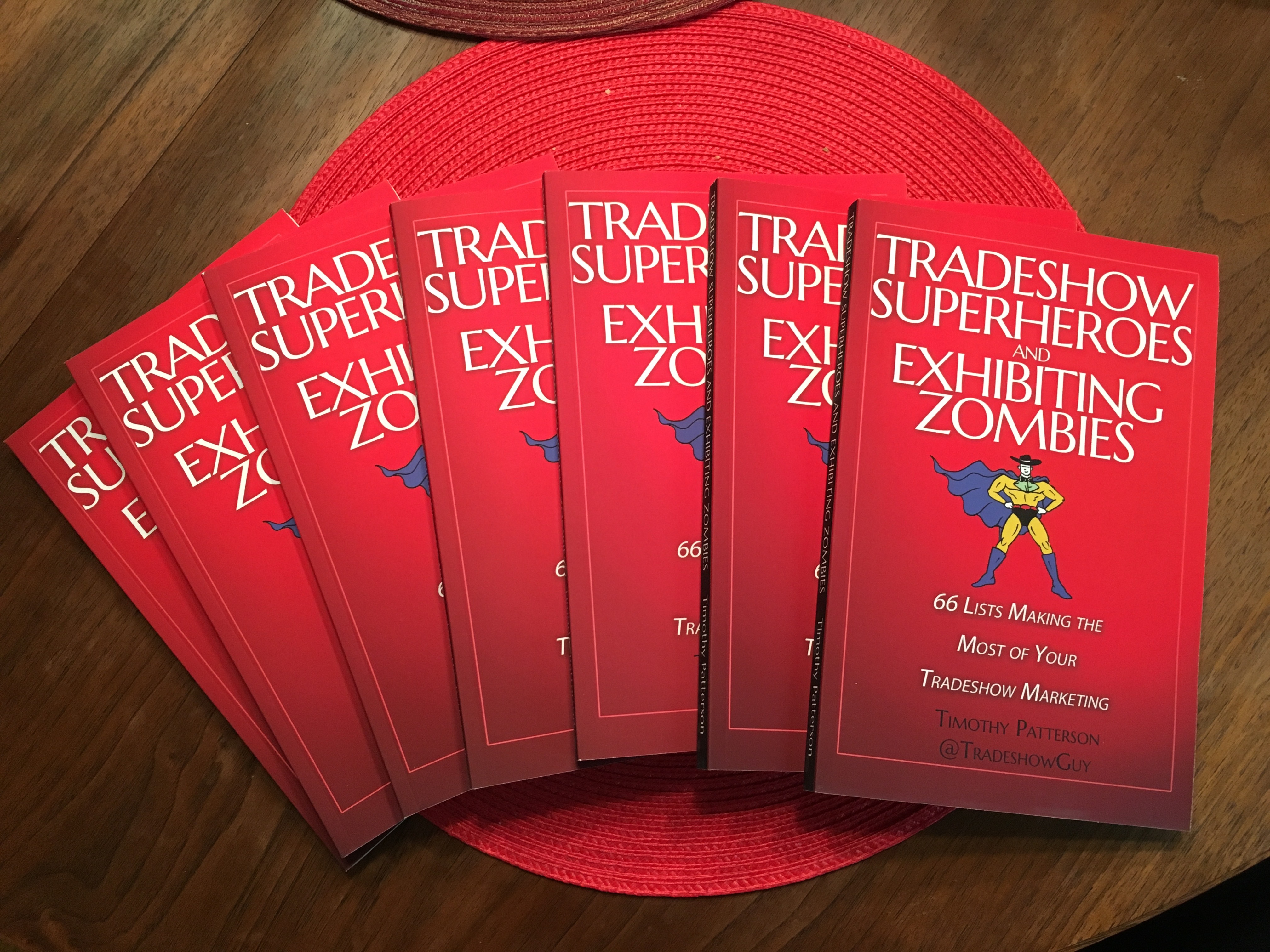
Thanks for grabbing a copy of my new book, Tradeshow Superheroes and Exhibiting Zombies: 66 Lists Making the Most of Your Tradeshow Marketing. If you’ve found this page without getting the book, what are you waiting for? The Kindle download is less than the cost of your favorite coffee drink! Or grab the paperback so you can show it off to your friends and share with colleagues.

Here are some that are intended to help you clarify some of your tasks and organizational goals in tradeshow marketing.


Start by grabbing these Mind Maps:

Overall: Tradeshow Marketing Success Mind Map (right-click to save)

PreShow Marketing Mind Map (right-click to save)

Next, download our extensive budgeting worksheet:

Tradeshow Budgeting Spreadsheet (right-click to save)


Want to check out my first book?

It’s called Tradeshow Success: 14 Proven Steps to Take Your Tradeshow Marketing to the Next Level. Grab it on Amazon or get a free digital download at TradeshowSuccessBook.com.


Take a look at my Amazon author page here.